On this page
Have you ever noticed a small blue icon floating in the corner of a website? Or a button that pops up offering to change the text size or colours? They’re on more and more sites, and they’re sold as an easy way to make a website accessible. In practice, they don’t fix the problems that matter, and they can make a site harder to use for the very people they claim to help.
The promise
They’re called accessibility overlays, or widgets. One line of code, a little button on the site, and the pitch is that the website is now accessible and legally compliant. No developer, no audit, no fuss. They’re quick to add, and some web companies add them by default.
It’s an appealing story if you run a small business and don’t want to think about this. It’s also not true.
Who is accessibility really for?
Accessibility can sound like a specialist subject, something for someone else to worry about. That’s understandable, because most of us never see a website from the inside of the problem. But the people it affects are customers, neighbours, colleagues and family, and many of the barriers are invisible unless you run into them.
People who are blind use screen readers, which read a page aloud. People with low vision enlarge the text, zoom in or switch to high contrast. People who find a mouse difficult to use, because of limited movement or dexterity, navigate with a keyboard, voice control or a switch device. These tools are already built into phones, computers and browsers as standard. They depend on the website being built to the correct standard, and that’s the part no add-on button can do for them.
Think of it as your premises. A shop with no ramp doesn’t just block wheelchair users. It tells everyone walking past that this place wasn’t designed with them in mind, and some people simply won’t come in. A website works the same way. An inaccessible site says something about your business before anyone has read a word.
A ramp also helps far more people than you’d expect. The delivery driver wheeling in a trolley, the parent with a pushchair, the person with a suitcase. Nobody notices the ramp until it’s missing.
Web accessibility standards are the same. They’ve existed since the early days of the web, and they’re still often overlooked. They matter enormously to blind and disabled people, and they also make a site clearer, faster and easier for everyone: people on a phone in bright sunlight, people with a broken wrist, people who just want to find your opening hours without a fight.
An overlay is the plank leaned against the step. It looks like a ramp from a distance, but it’s not built into the entrance, and it won’t take the weight.
What they actually do
An overlay is a script that sits on top of your finished page and tries to patch it while the visitor is looking at it. It can adjust text size or contrast, but it can’t fix what’s wrong underneath: missing form labels, headings in the wrong order, buttons a keyboard can’t reach, images with no description.
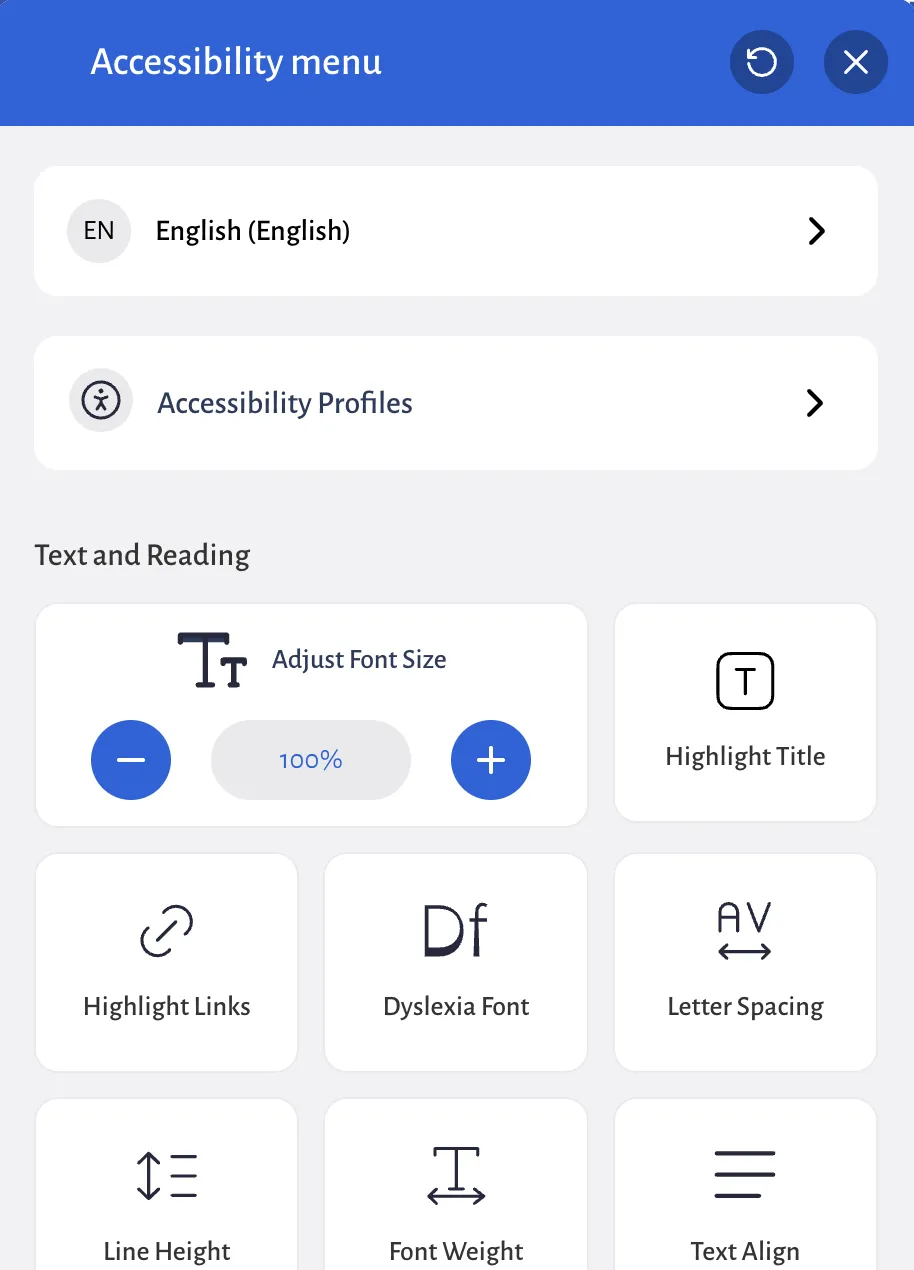
Those are the problems that stop people using your site, and they have to be fixed in the build.
Worse, many disabled people find overlays get in the way. Screen reader users already have software that does this job far better, and an overlay fighting with it can make a site harder to use, not easier. More than a thousand accessibility professionals and disabled people have signed a public statement, the Overlay Fact Sheet, saying overlays “are not an effective means of ensuring accessibility”.
They won’t protect you legally
The other selling point is protection from complaints and legal action. It doesn’t hold up. In the US, the regulator ordered one overlay company to pay $1 million in 2025, because its widget did not make every website meet the accessibility standard it claimed. In the UK, businesses have to consider making adjustments for disabled customers under the Equality Act, and that includes digital services. Councils, government bodies and some publicly funded charities go further: by law, their websites must meet a named standard, WCAG 2.2 AA, and publish an accessibility statement. And if you sell online to customers in the EU, the European Accessibility Act can apply to you too, although the smallest service businesses (fewer than 10 staff and no more than €2 million a year) are exempt.
The law cares whether your site can be used, not whether it has a button that pays lip service to the problem.
If an overlay is the only thing between you and a problem, you’re paying monthly for reassurance rather than protection.
How to spot one on your own site
You can check in a minute. Open your website on a phone and on a computer, and look for:
- A small floating icon, usually blue, in a bottom corner or at the side of the page
- A button or menu that offers to change text size, contrast, or “accessibility profiles”
- A line in the footer saying the site is “powered by” or “protected by” an accessibility service
If you find one, ask whoever built your site what it’s doing for you, and whether the site itself has ever been properly tested. A good answer talks about how the site was built. A poor one talks about the widget.
What to do instead
The fix is the same for every site, new or old: make the site itself work, rather than adding a layer on top. It helps every customer, not just disabled ones, and most of it comes down to a handful of things:
- Real headings in a sensible order, so the page makes sense without styling
- Text with enough contrast against its background
- Labels on every form field, so a screen reader knows what to ask for
- Everything usable with a keyboard, with a visible focus outline
- Descriptions on images that carry meaning
- A test by a person, not only a scanner. Automated tools catch only some problems: when the UK government’s digital team tested them, the best single tool found 41% of the barriers. So someone should tab through the site, zoom it to 200%, and listen to it with a screen reader
If you already have a website, you don’t have to start again to make progress:
- Find out where you stand. The free health check gives you an accessibility score in a couple of minutes, and a person tabbing through the site shows you what a score can’t.
- Fix the biggest barriers first. Missing form labels, poor contrast and headings out of order are usually small changes to the site you already have. Whoever looks after your site can often make them.
- Know when the problem is the site itself. If it can’t be fixed without rebuilding it, because of an old template or a website builder that won’t let you change how pages are made, a new site is the honest answer.
Once the site itself works, the overlay has nothing left to do, and you can stop paying for it.
If you’re having a new site built, ask for all of this from the start. It’s far easier to build in than to fix later.
Most websites fail even the basic automated checks: in 2026, 95.9% of the top million home pages had problems a scanner could find, most often low-contrast text, images with no description and form fields with no label.
This site has no overlay. In Google’s own test (Lighthouse, the same one behind the health check’s scores), the pages we tested (the home page, the health check, the prices page and a guide) each score 100 out of 100 for accessibility, in October 2026. That isn’t down to a widget. It comes from how the site was built, for example:
- Headings in the right order on every page. An early check found the services page skipped a level, and we fixed it.
- A “skip to content” link, so keyboard users don’t have to tab through the menu on every page.
- A visible label above every form field, rather than grey hint text inside the box that disappears as you type.
- Colours checked against the contrast standard. Our orange always has dark text on it, because white on orange isn’t clear enough to read.
- After you send a form, the page moves to the message saying it worked, or what went wrong, so you’re not left guessing.
A perfect score only means none of the automated checks failed. As above, those checks miss a lot, so we also went through 13 pages more closely: keyboard focus, headings and labels, and how each page fits the narrowest phone screens. That found three small problems the score hadn’t, and we fixed them. Our accessibility statement lists what we checked.
Say what you’ve tested
Publish a short accessibility statement. Say which standard you’re aiming for (WCAG 2.2 AA is the usual one), what you’ve tested, what you know still needs work, and how someone can tell you about a problem. It’s the opposite of the overlay pitch: no promise of instant perfection, just an honest account and a way to get in touch. You can read ours.
Want a second opinion?
If your site has one of these buttons and you’re not sure what it’s doing, we’re happy to tell you plainly where you stand. No sales pitch, no jargon, just what’s working, what isn’t, and what a proper fix would involve. Start with the free website health check, or ask for a website review if you’d like a person to go through it with you.
Last reviewed October 2026
Sources
- Overlay Fact Sheet, Overlay Fact Sheet
- FTC approves final order requiring accessiBe to pay $1 million, US Federal Trade Commission
- Asking for reasonable adjustments if you're disabled, Citizens Advice
- Understanding accessibility requirements for public sector bodies, GOV.UK
- European Accessibility Act, European Commission
- Directive (EU) 2019/882, Article 4, legislation.gov.uk
- What we found when we tested tools on the world's least-accessible webpage, GOV.UK Accessibility blog
- The WebAIM Million: the 2026 report on the accessibility of the top 1,000,000 home pages, WebAIM
- Web Content Accessibility Guidelines (WCAG) 2.2, W3C